The network features a Moodle instance, which is protected by a firewall that will be configured as requested by the exercise.

In this first exercise, the following steps will be performed:
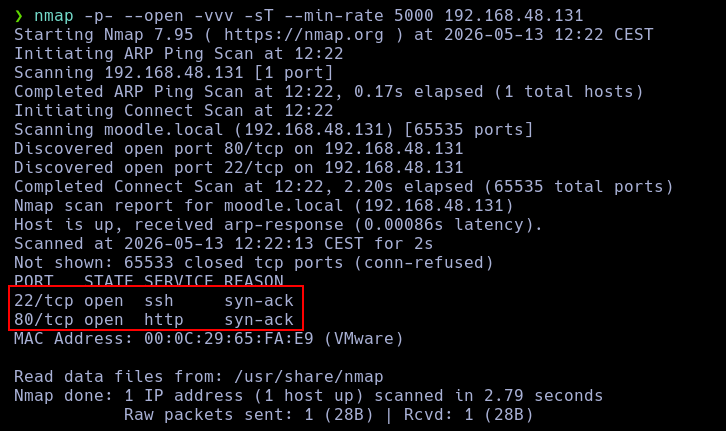
-sT) to check the open ports of the machine.Using nmap, I perform a TCP scan against the target before applying any firewall blocks. This is the result:
nmap -p- --open -vvv -sT --min-rate 5000 192.168.48.131
The following rules have been applied to iptables:
sudo iptables -A INPUT -p tcp --syn -m limit --limit 2/s --limit-burst 5 -j ACCEPT
sudo iptables -A INPUT -p tcp --syn -j DROP
A TCP scan is quite difficult to block, as doing so would also mean blocking legitimate traffic, which we want to avoid. Therefore, the limitation has been focused on packet frequency rather than the packets themselves.
When performing the exact same scan as in section 1 of this exercise, we obtain the following result:
nmap -p- --open -vvv -sT --min-rate 5000 192.168.48.131
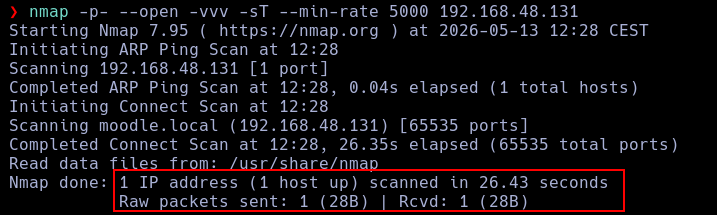
Since we cannot block TCP packets without blocking legitimate traffic, the applied restriction is based on the frequency of incoming packets. Therefore, the only thing we need to do to bypass the firewall is to reduce the scanning speed.
nmap -p- --open -vvv -sT -T2 192.168.48.131
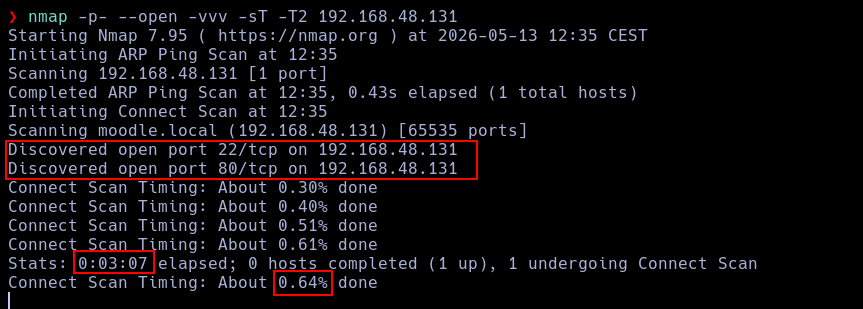
As we can see, it detects the ports, but it takes quite a long time.

Here we can verify how everything is working: the host sends TCP packets with a SYN flag to the target, and the target responds with a RST ACK packet. This is typical behavior for legitimate systems.
In this exercise, different types of scans will be tested to try to evade the previous filtering. Wireshark will be used to analyze the generated traffic.
-sF) to check if open ports are detected and if we can bypass the firewall restrictions.-sN) to check if open ports are detected and if we can bypass the firewall restrictions.-sX) to check if open ports are detected and if we can bypass the firewall restrictions.nmap -p- --open -vvv -sF --min-rate 5000 192.168.48.131
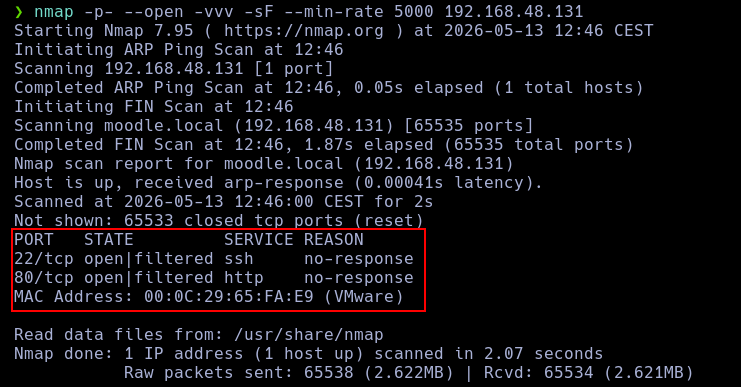
As we can see, nmap sends numerous FIN packets, and the host responds with RST, ACK packets, allowing nmap to detect the open ports.

nmap -p- --open -vvv -sN --min-rate 5000 192.168.48.131
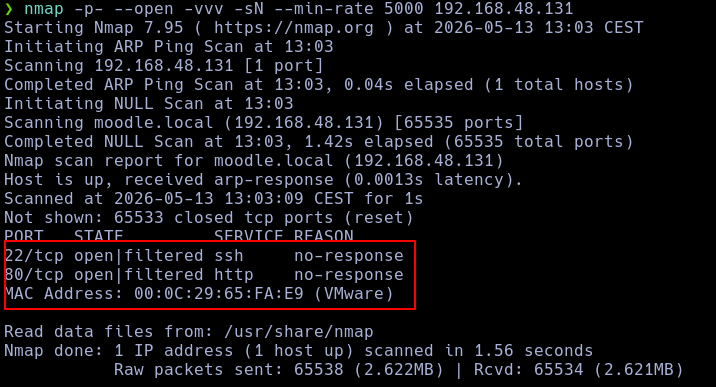
The NULL scan successfully detected the ports. As shown, nmap sends the NULL TCP packets to the host, and it responds with RST, ACK, allowing the identification of the ports.
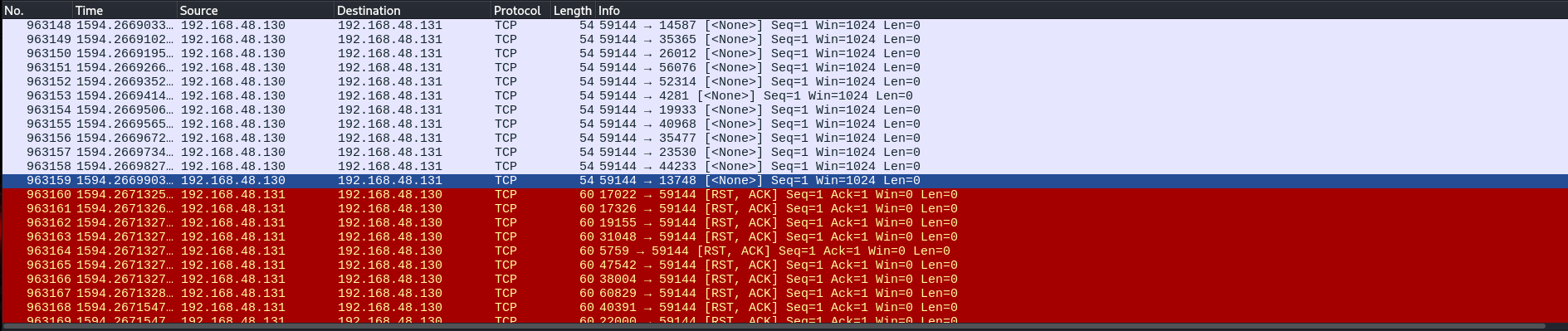
nmap -p- --open -vvv -sX --min-rate 5000 192.168.48.131
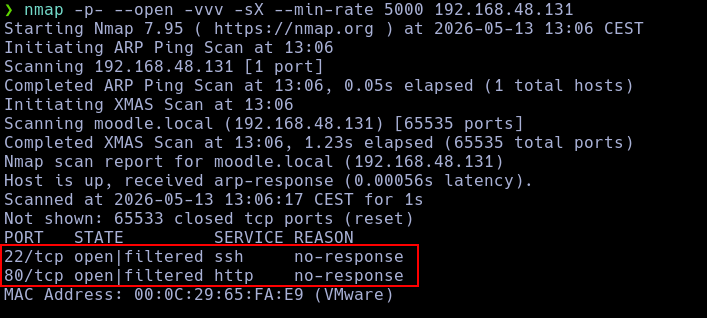
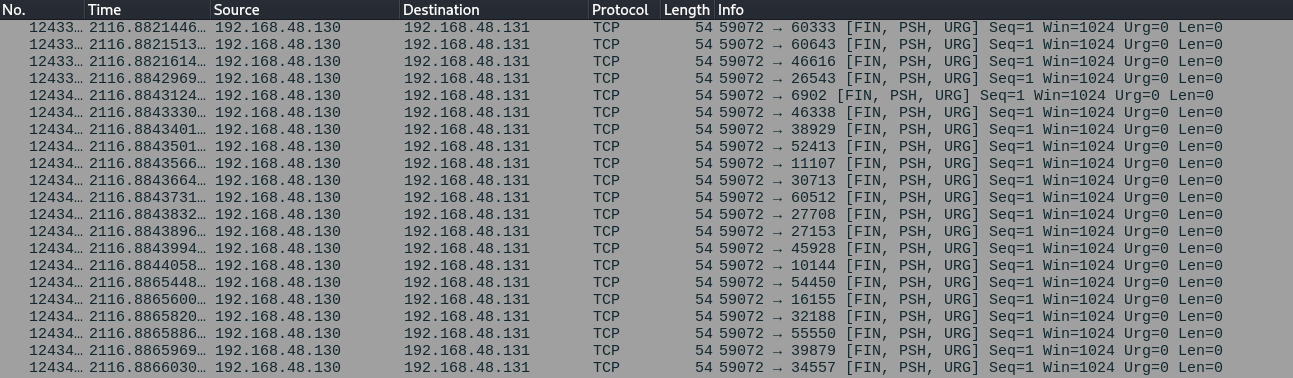
The XMAS scan sends packets with a specific set of flags (FIN, PSH, URG), and the host responds to them.

In this exercise, we are going to block the scan types that are still revealing open port information.
sudo iptables -A INPUT -p tcp --tcp-flags SYN,FIN SYN,FIN -j DROP
sudo iptables -A INPUT -p tcp --tcp-flags SYN,RST SYN,RST -j DROP
sudo iptables -A INPUT -p tcp --tcp-flags FIN,RST FIN,RST -j DROP
sudo iptables -A INPUT -p tcp --tcp-flags ALL NONE -j DROP
sudo iptables -A INPUT -p tcp --tcp-flags ALL ALL -j DROP
sudo iptables -A INPUT -p tcp --tcp-flags ALL FIN -j DROP
sudo iptables -A INPUT -p tcp --tcp-flags ALL FIN,PSH,URG -j DROP
nmap -p- --open -vvv -sF --min-rate 5000 192.168.48.131
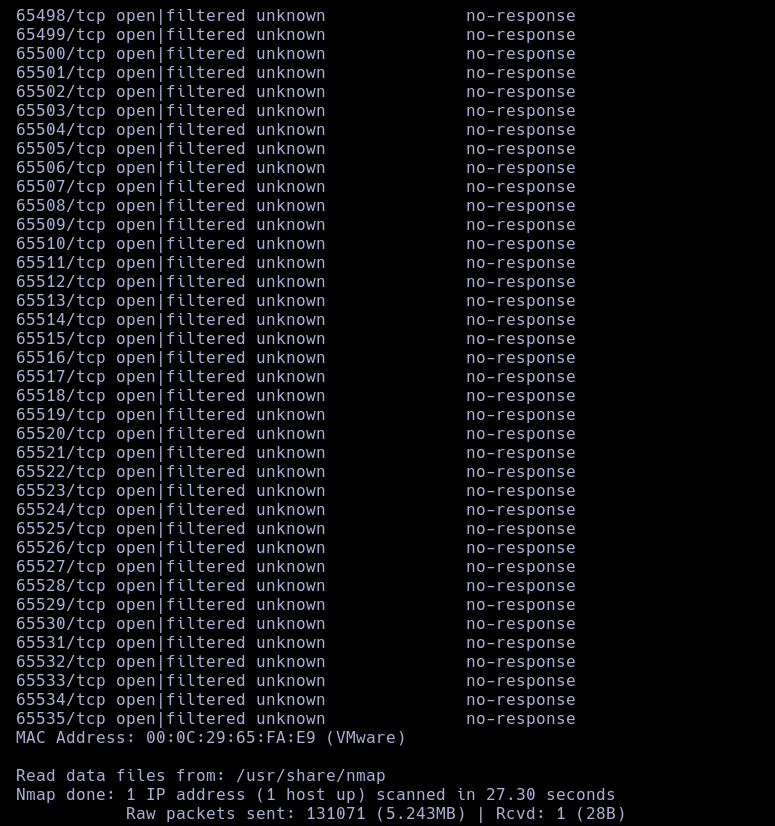
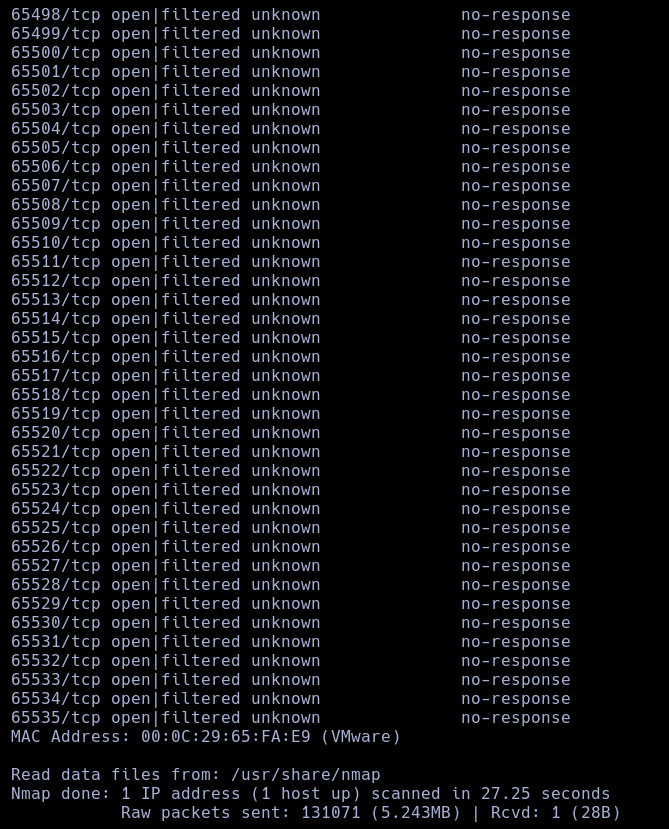
As we can see, packets with the FIN flag no longer receive a response. This is because the firewall dropped them, which causes ALL ports to be marked as OPEN. Consequently, the attacker will be unable to identify which ports are actually open.
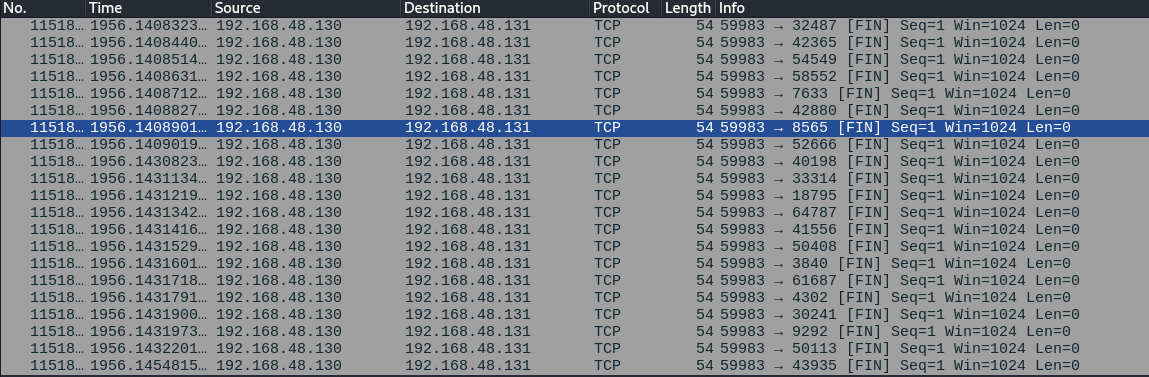
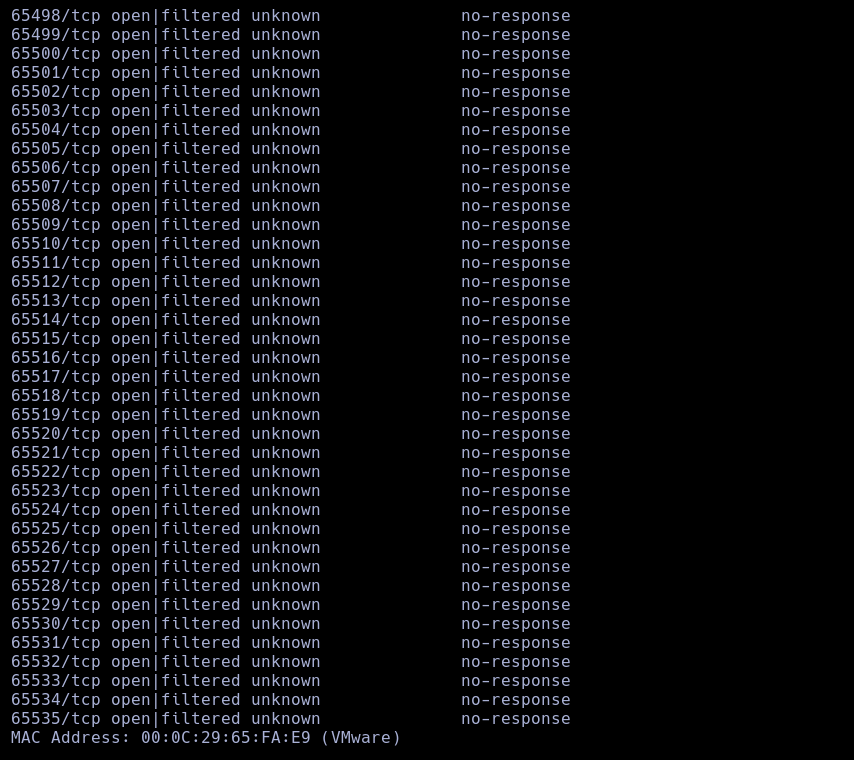
nmap -p- --open -vvv -sN --min-rate 5000 192.168.48.131
The NULL scan was unable to find any open ports.
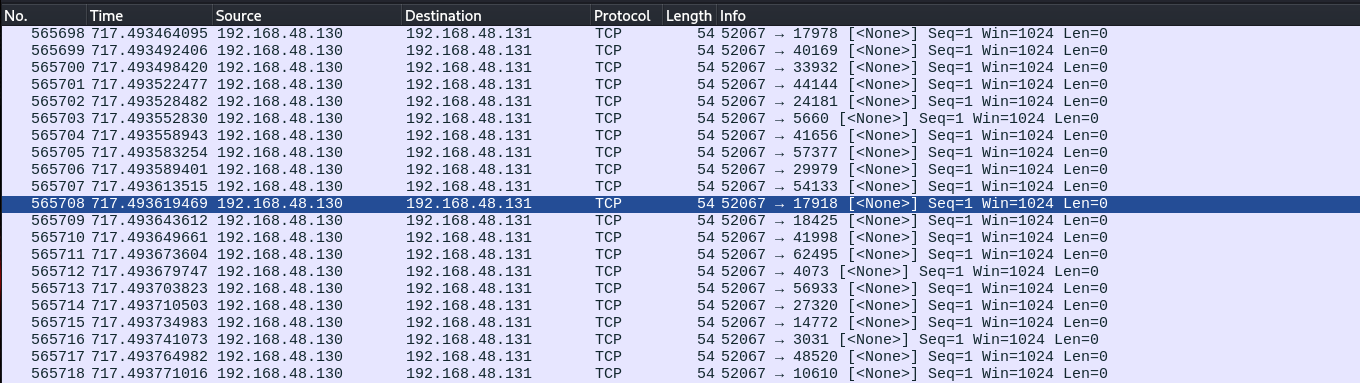
As shown in the following Wireshark capture, there is no response from the host to the NULL packets, proving that the firewall rules are working properly.
nmap -p- --open -vvv -sX --min-rate 5000 192.168.48.131
The XMAS scan was unable to bypass the firewall.
In this exercise, instead of blocking packets using flags, we will do it using packet length. You must use a clean iptables configuration by flushing the rules created in previous exercises.
-sT).-sS) and check if the firewall restrictions are bypassed.sudo iptables -A INPUT -p tcp -m length --length 60 -j DROP
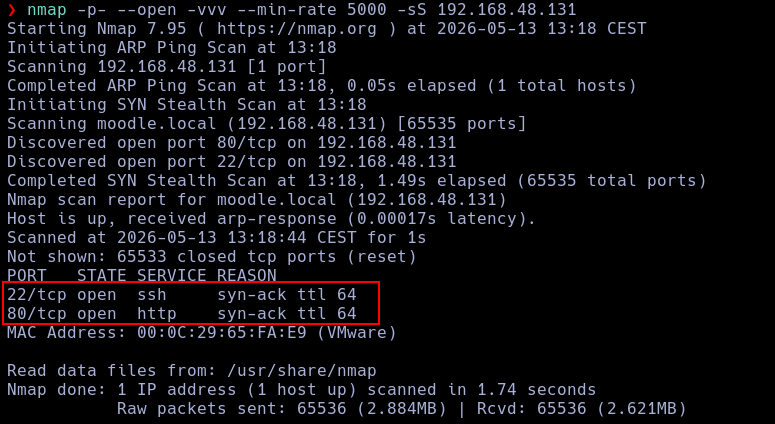
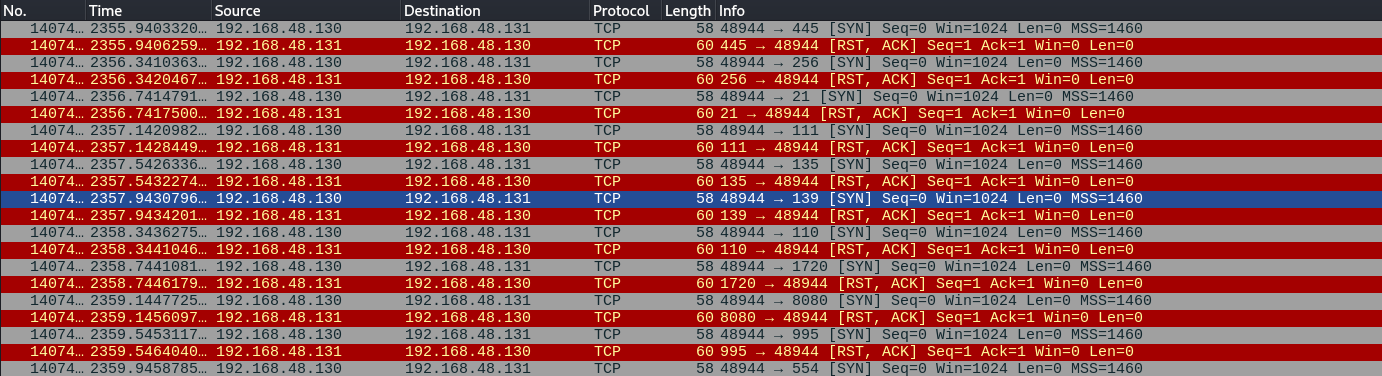
nmap -p- --open -vvv --min-rate 5000 -sS 192.168.48.131
The scan is able to bypass the block without much difficulty.
-f) and check the results.--data-length) and check the results.--data-length option to evade the filtering.sudo iptables -A INPUT -p tcp -m length --length 40 -j DROP
sudo iptables -A INPUT -p tcp -m length --length 44 -j DROP
sudo iptables -A INPUT -p tcp -m length --length 60 -j DROP
This configuration successfully blocked all the specified attacks.
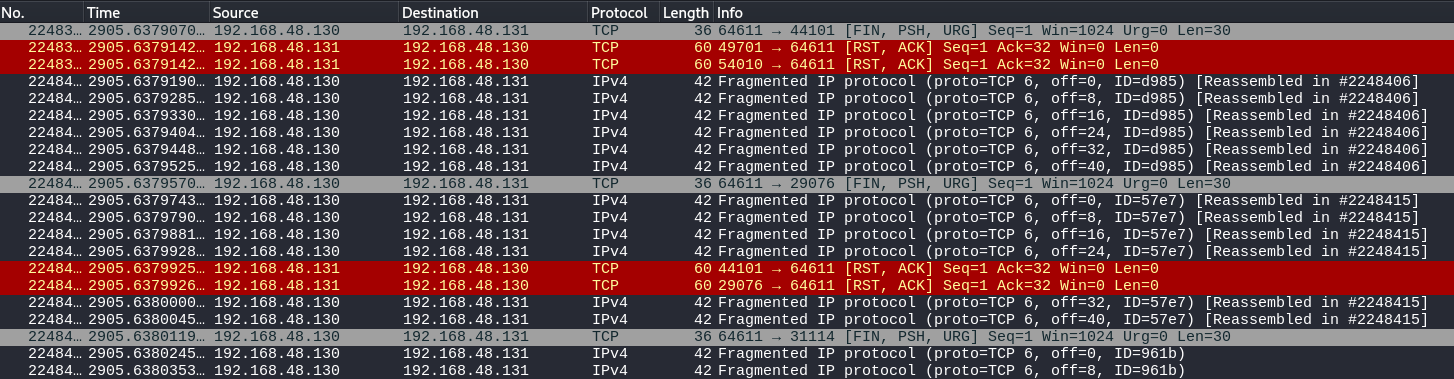
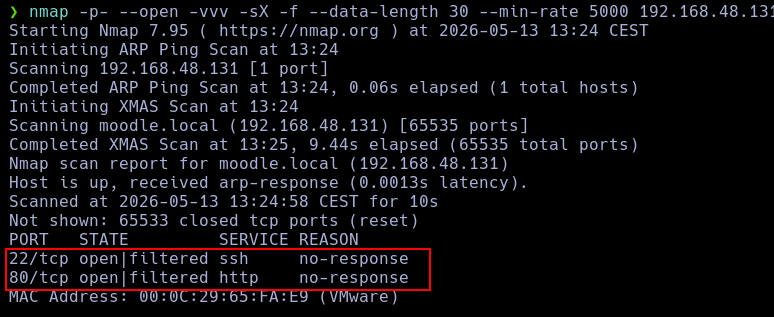
nmap -p- --open -vvv -sX -f --data-length 30 --min-rate 5000 192.168.48.131
Once the packets are fragmented, as we can see, the firewall does not drop anything, allowing the ports to be successfully identified.
Another field used for packet filtering is the Time-To-Live (TTL). In this exercise, filtering and bypass tests based on this value will be conducted.
ttl=64 value and check the behavior of different scanners.sudo iptables -A INPUT -m ttl --ttl-eq 64 -j DROP
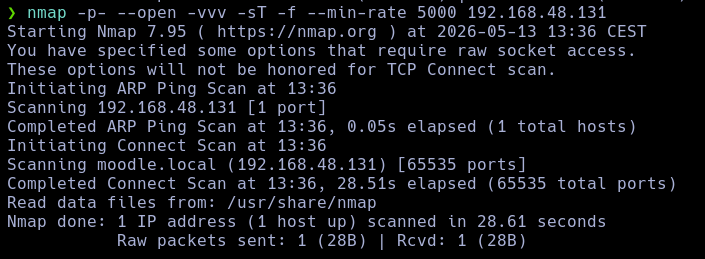
nmap -p- --open -vvv -sT -f --min-rate 5000 192.168.48.131
This fragmented TCP scan was unable to pass the filter, and therefore its packets were blocked.
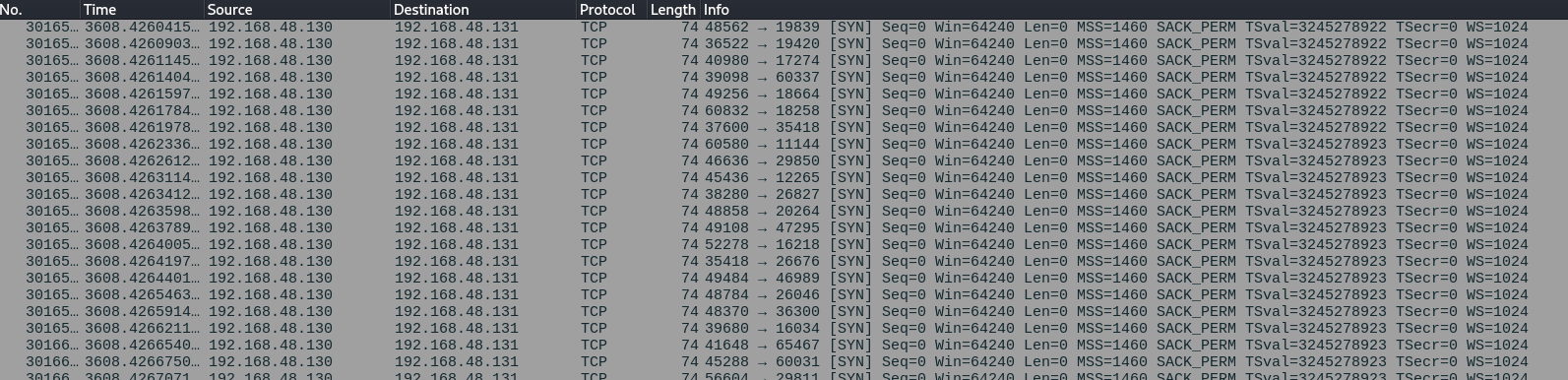
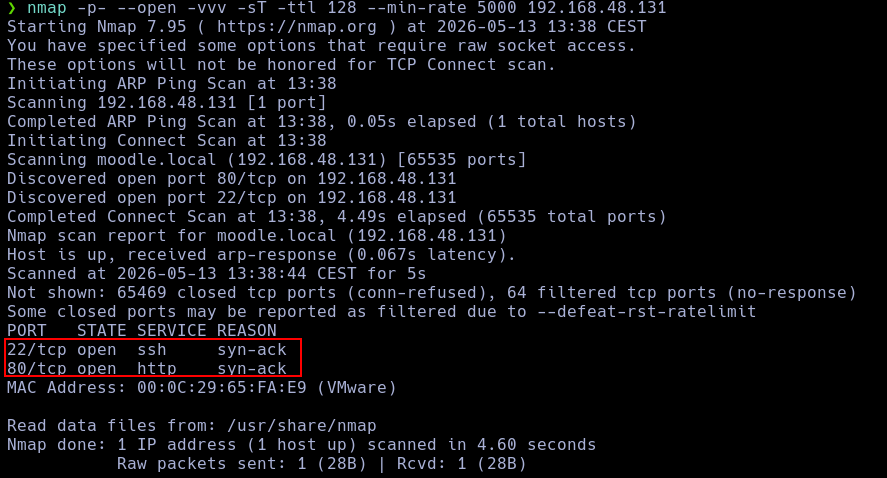
By using the ttl option, I am able to bypass the filter.
nmap -p- --open -vvv -sT -ttl 128 --min-rate 5000 192.168.48.131
In this exercise, rules will be applied to filter packets based on their source port.
-g option to define the source port of the nmap packets and check if the scans are successful.sudo iptables -A INPUT -p tcp --sport 4444 -j ACCEPT
sudo iptables -A INPUT -p tcp -j DROP
This configuration will block all packets that do not originate from port 4444.
nmap -p- --open -vvv -sT -ttl 128 --min-rate 5000 192.168.48.131
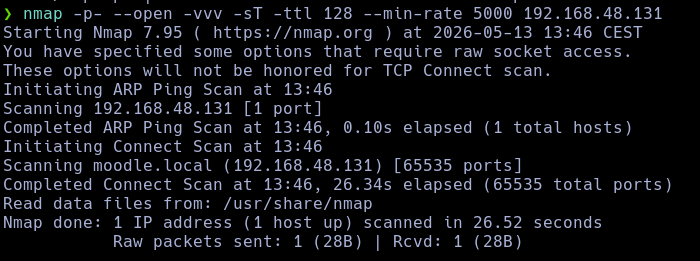
A standard TCP scan is unable to pass through the firewall because the ports used by nmap are randomized by default, meaning very few packets will match the allowed source port.
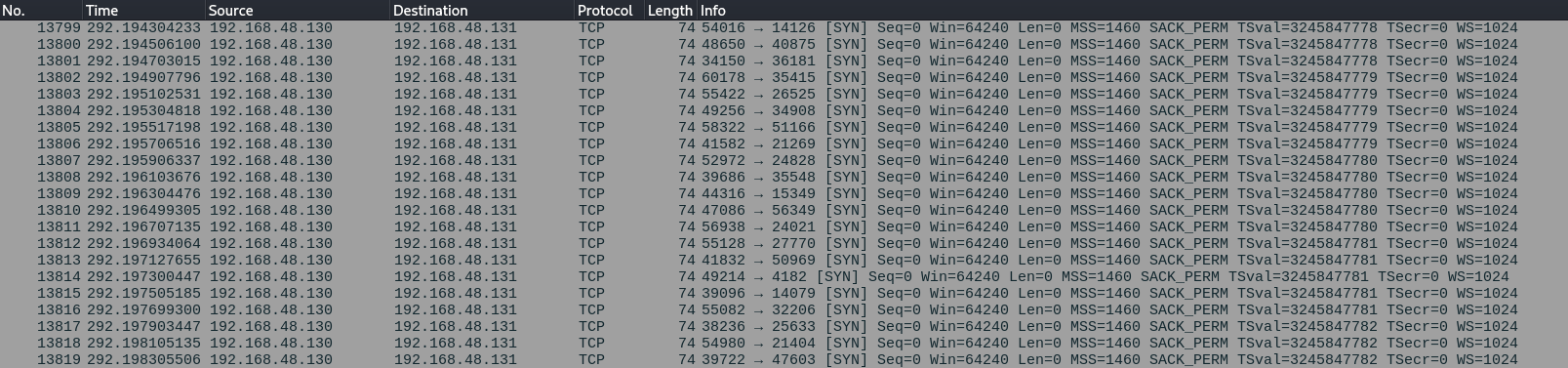
Let's assume that through brute force and extensive testing, we have found out that the allowed port is 4444. Therefore, we simply need to specify the source port from which the scan will be launched.
nmap -p- --open -vvv -sS -g 4444 --min-rate 5000 192.168.48.131
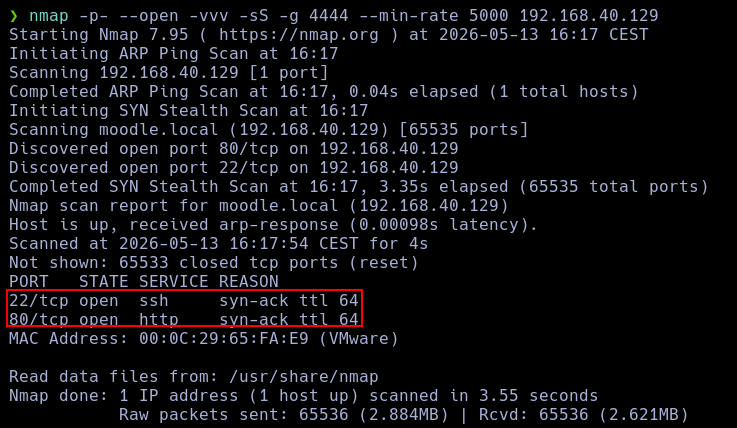
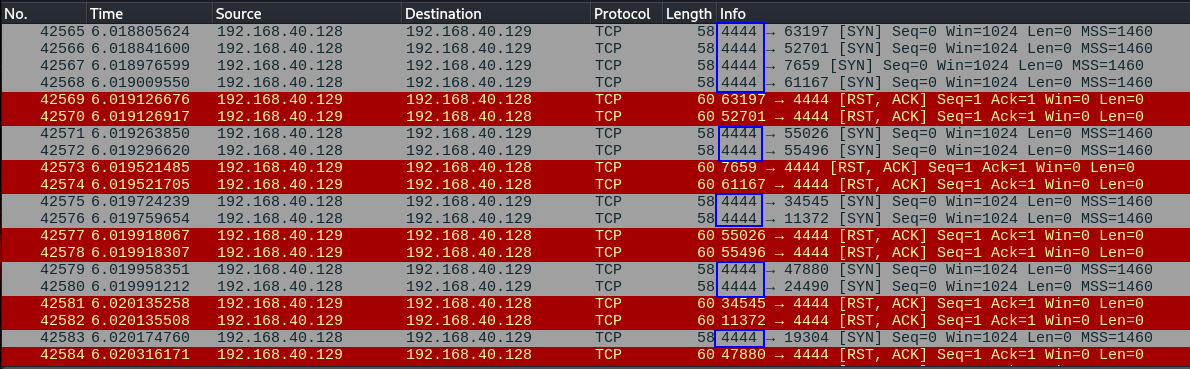
As we can see in Wireshark, all packets have now been sent from the specified source port.
In this exercise, we will verify how an administrator can block or allow access only to specific MAC addresses and how we can evade these restrictions using nmap.
iptables -A INPUT -m mac --mac-source 00:11:22:33:44:55 -j ACCEPT
iptables -A INPUT -j DROP
This configures the firewall to only accept packets coming from the MAC address 00:11:22:33:44:55.
nmap -p- --open -vvv -sS -g 4444 --min-rate 5000 192.168.40.129
This scan cannot be completed.
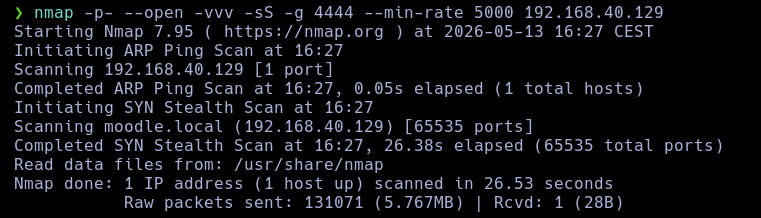
Since the packet does not match the required MAC address, iptables is dropping all traffic.
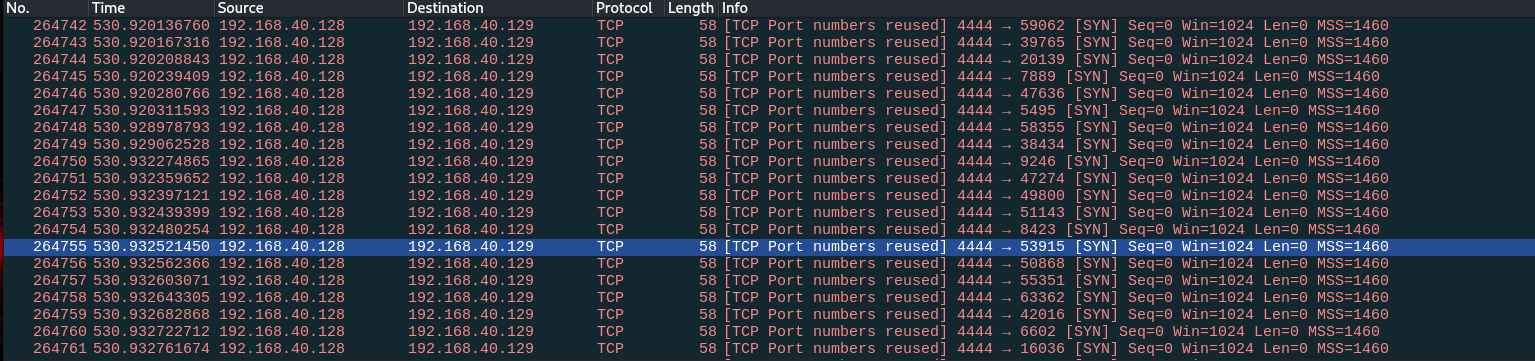
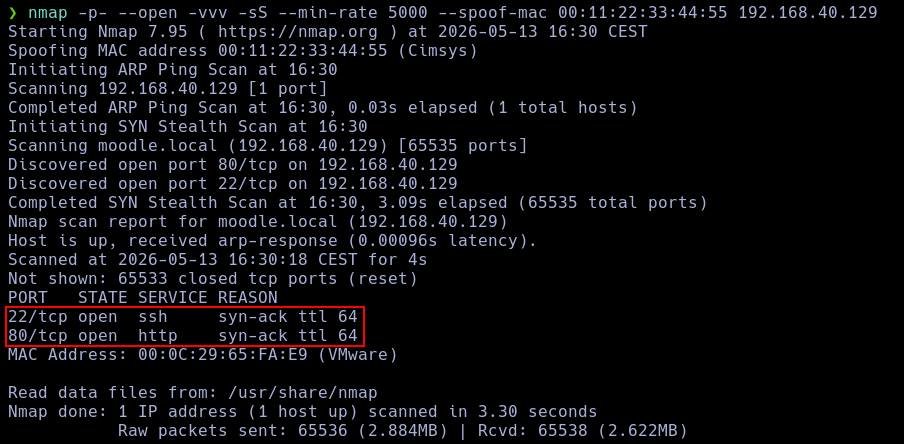
nmap -p- --open -vvv -sS --min-rate 5000 --spoof-mac 00:11:22:33:44:55 192.168.40.129
We will use the --spoof-mac directive to send packets with a fake MAC address. This MAC address matches the one explicitly allowed by the system.
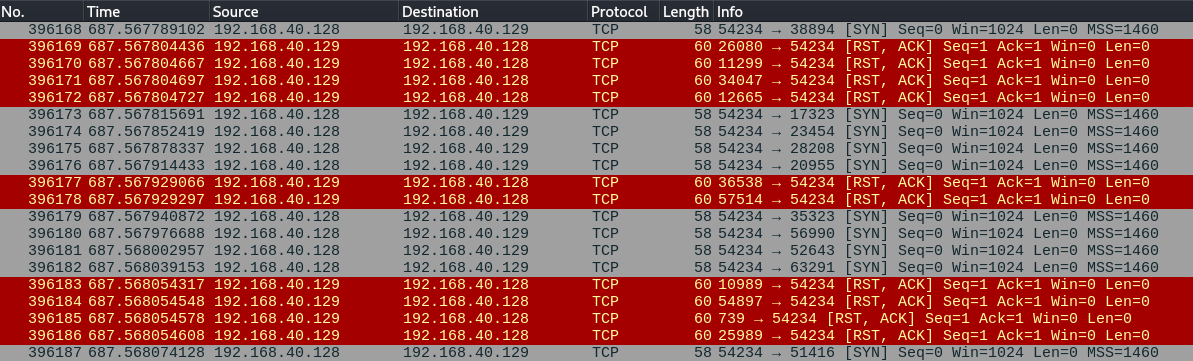
If we inspect the packet, we can see that the specified MAC address is indeed the spoofed one.

This exercise is similar to the previous one, but the filtering and spoofing must be performed on IP addresses.
iptables -A INPUT -s 192.168.40.50 -j ACCEPT
iptables -A INPUT -j DROP
nmap -p- --open -vvv -sS --min-rate 5000 192.168.40.129
This scan will be blocked by the firewall because the source IP is not the one accepted by the system.

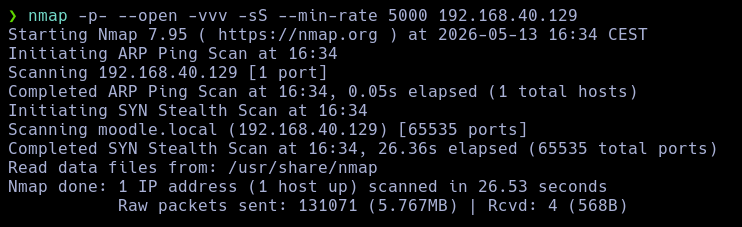
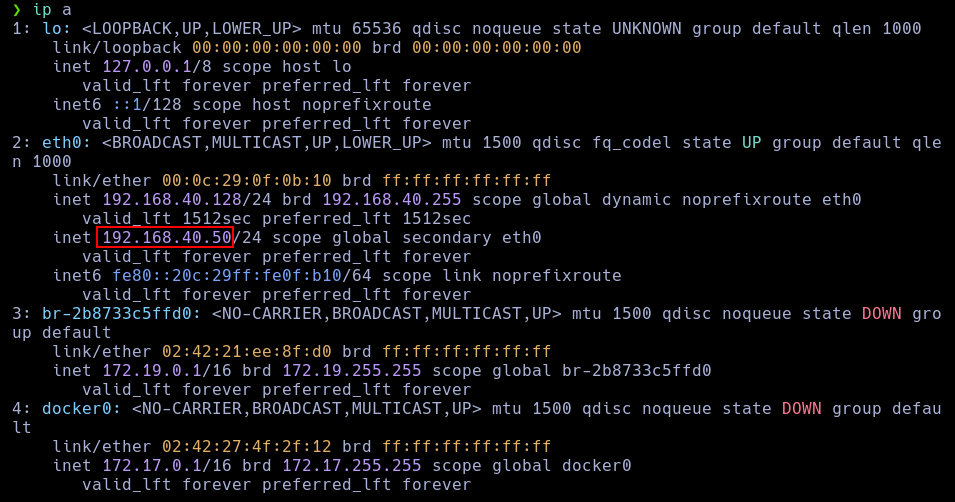
We need to spoof our IP address. To do this, we will map the allowed IP to our interface using the following command:
ip addr add 192.168.40.50/24 dev eth0
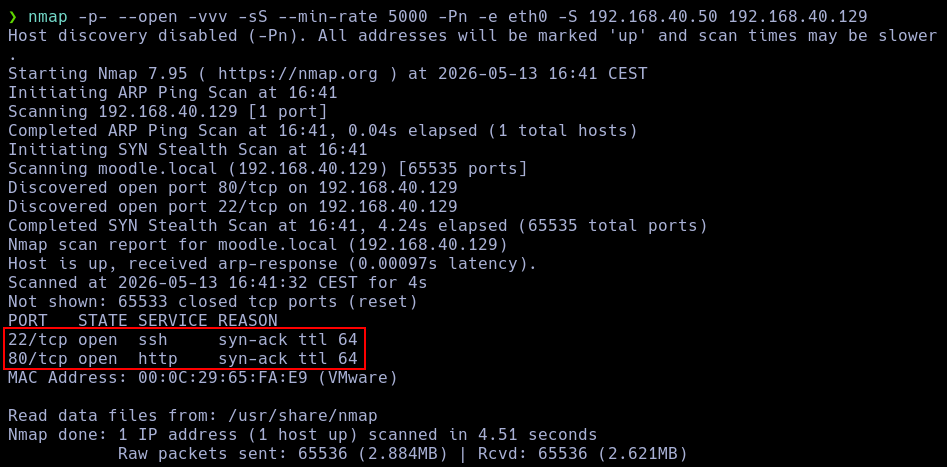
And now we execute the scan:
nmap -sS -S 192.168.40.50 -e eth0 -Pn 192.168.40.129
Investigate how NSE (Nmap Scripting Engine) scripts are developed and create a basic example script so you can use it in your testing. Explain your script's code and test it.
NSE scripts are written in Lua and are stored in the
/usr/share/nmap/scripts/path.
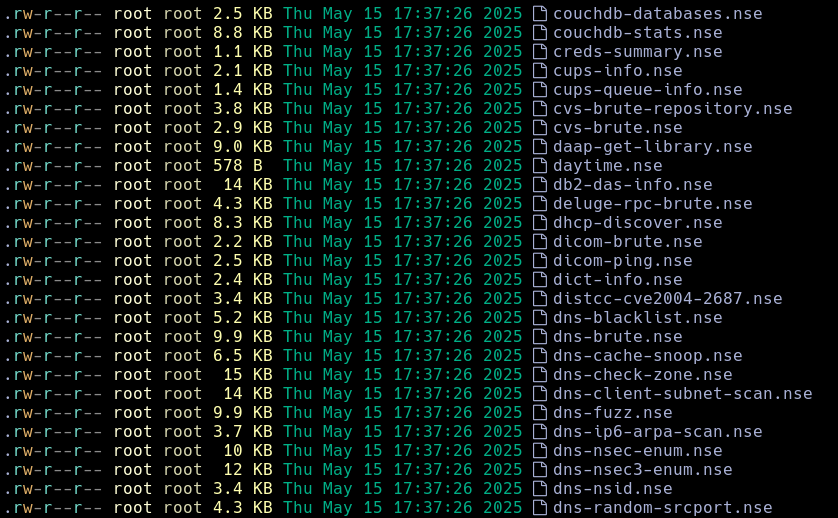
For this task, I have created a very simple script that appends a clean custom banner to the scan output.
nano /usr/share/nmap/scripts/banner-bonico.nse
local stdnse = require "stdnse"

description = [[
Displays an informational banner before the scan results.
]]

author = "Student"

license = "Same as Nmap"

categories = {"safe","discovery"}

-- Always executes
hostrule = function(host)
    return true
end

action = function(host)

    local banner = [[

========================================
        NMAP CUSTOM AUDIT BANNER
========================================

 Target   : ]] .. host.ip .. [[
 Hostname : ]] .. (host.name or "unknown") .. [[

 Scan performed using NSE
 Script   : banner-bonico.nse

========================================

]]

    return banner
end
We update the script database:
sudo nmap --script-updatedb
And we run any scan using this new banner script:
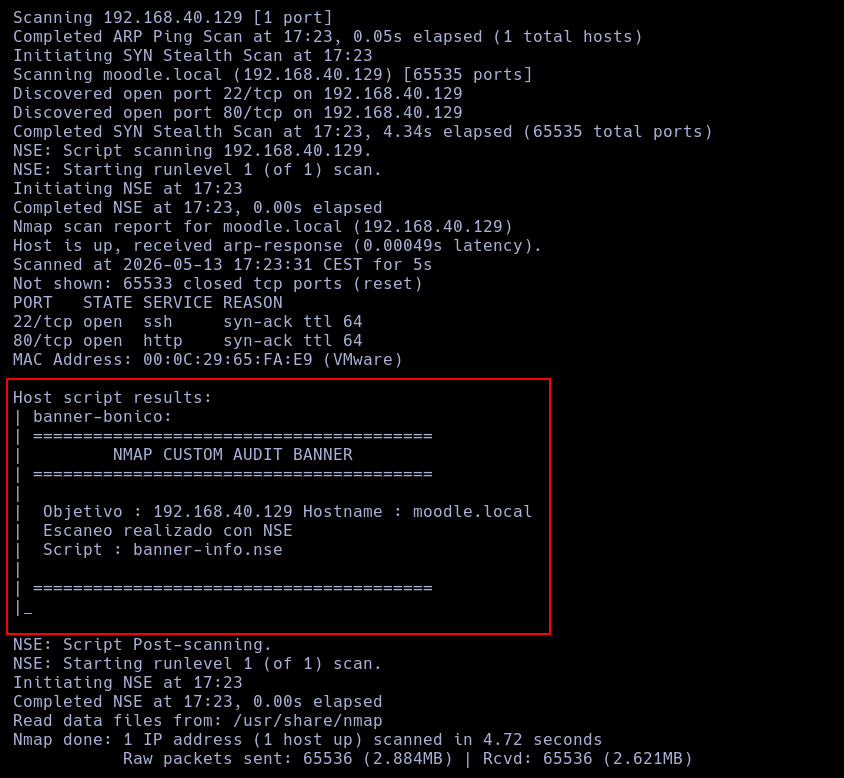
nmap -p- --open -vvv -sS --script banner-bonico.nse --min-rate 5000 192.168.40.129