
Kerberos is an authentication service that operates on port 88.
It works by issuing tickets to different users to keep them identified across the network.
Its sole purpose is user authentication; however, it does not act as an authorization protocol. Its only job is to verify that we are who we say we are, not to define what we can or cannot do.
Key Entities:
KRB_AS_REQ
The client requests a Ticket Granting Ticket (TGT) from the Key Distribution Center (KDC). To do this, it generates a timestamp and encrypts it using its secret key, which is derived from the hash of the user's password.
Once the KDC receives this request, it looks up the user in its database. If found, it decrypts the timestamp; otherwise, the request is rejected.
KRB_AS_REP
Kerberos responds by delivering:
KRB_TGS_REP
If the KDC validates the authentication, it returns the necessary service ticket and session information to access the desired service.
KRB_AP_REQ
The client generates another authenticator to encrypt the new service session key and presents it directly to the Application Server to gain access.
Originally, Kerberos was conceived to be lightweight, which is why UDP was chosen due to its low overhead and simple request-response model.
Kerberos has formally supported TCP since the publication of RFC 4120.
From a security perspective, UDP can be highly problematic. It facilitates attacks such as IP spoofing, Denial of Service (DoS), and IP Fragmentation attacks due to its stateless request-response model and lack of native packet validation.
As hardening measures, the first action I would take is enforcing the exclusive use of Kerberos over TCP, applying strict firewall filtering, and implementing anti-DoS rate limiting controls on the Domain Controller.
The attached articles have been thoroughly read and reviewed as required by the exercise.
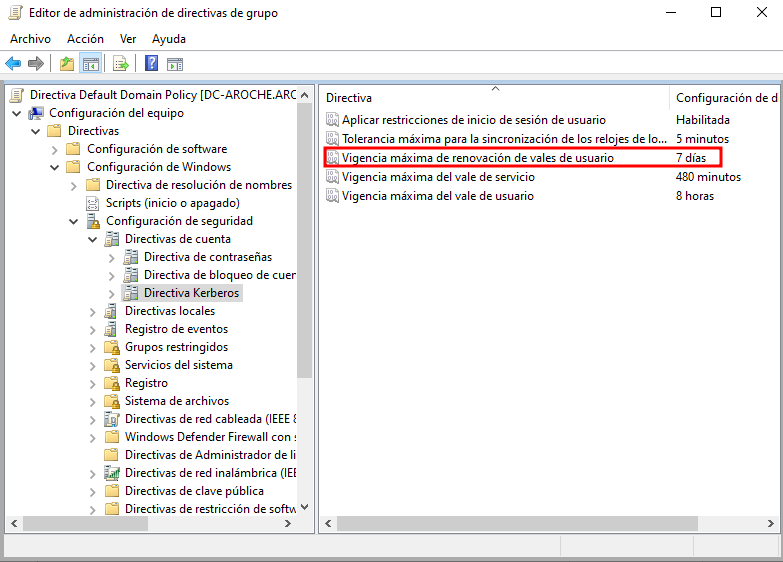
Within the Account Policies section, we can locate the Kerberos Policy settings.
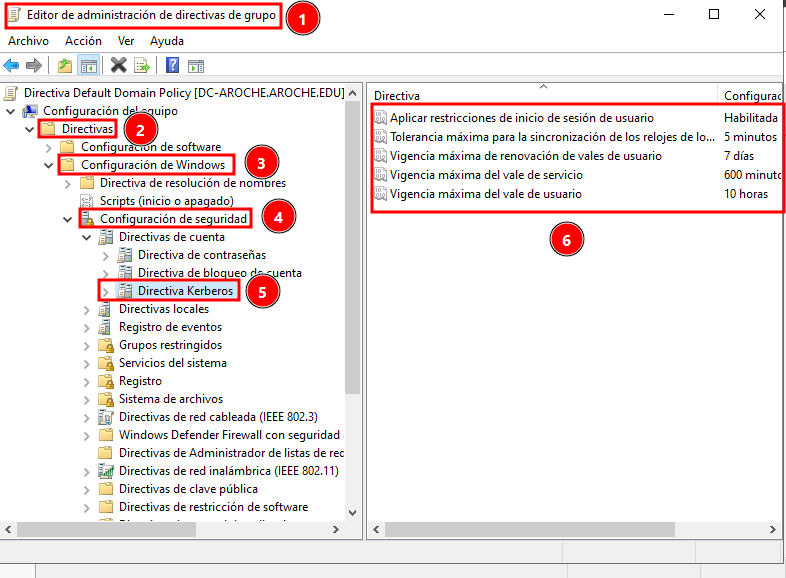
This policy allows us to modify the configuration settings for Kerberos tickets.
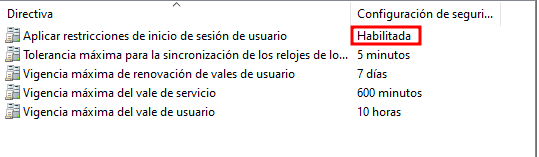
First, we will ensure that Enforce user logon restrictions is enabled. This forces the system to rigorously validate Kerberos V5 tickets against user accounts.
Next, we navigate to the Maximum lifetime for user ticket and Maximum lifetime for service ticket policies.
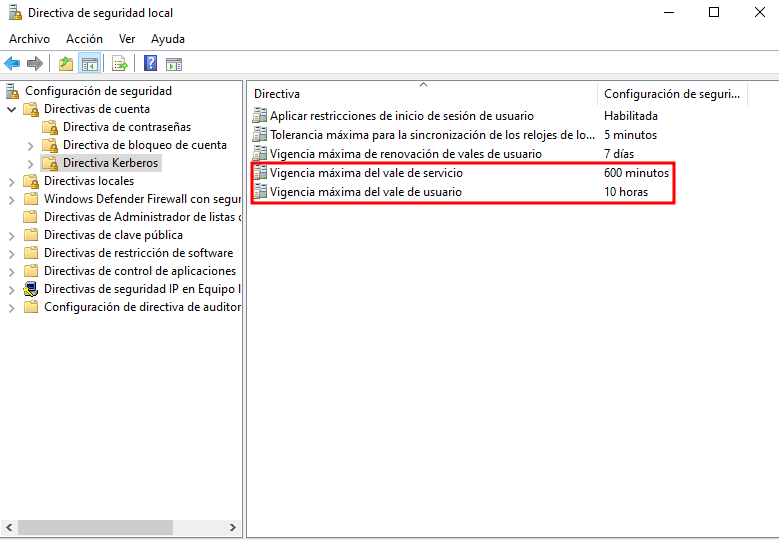
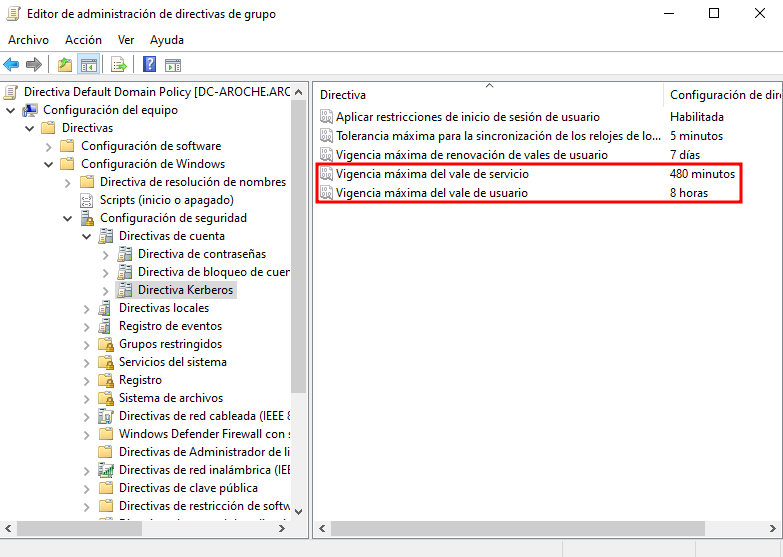
Both settings determine the maximum validity duration of a ticket, whether for a user or a service. The default value is 10 hours, meaning a user can utilize a ticket for 10 hours before requiring re-authentication.
In this scenario, assuming a standard corporate workday, I have adjusted this value to 8 hours.
The Maximum lifetime for user ticket renewal sets the ultimate window during which a ticket can be renewed before a brand-new ticket must be requested. The default is 7 days, which I will maintain.
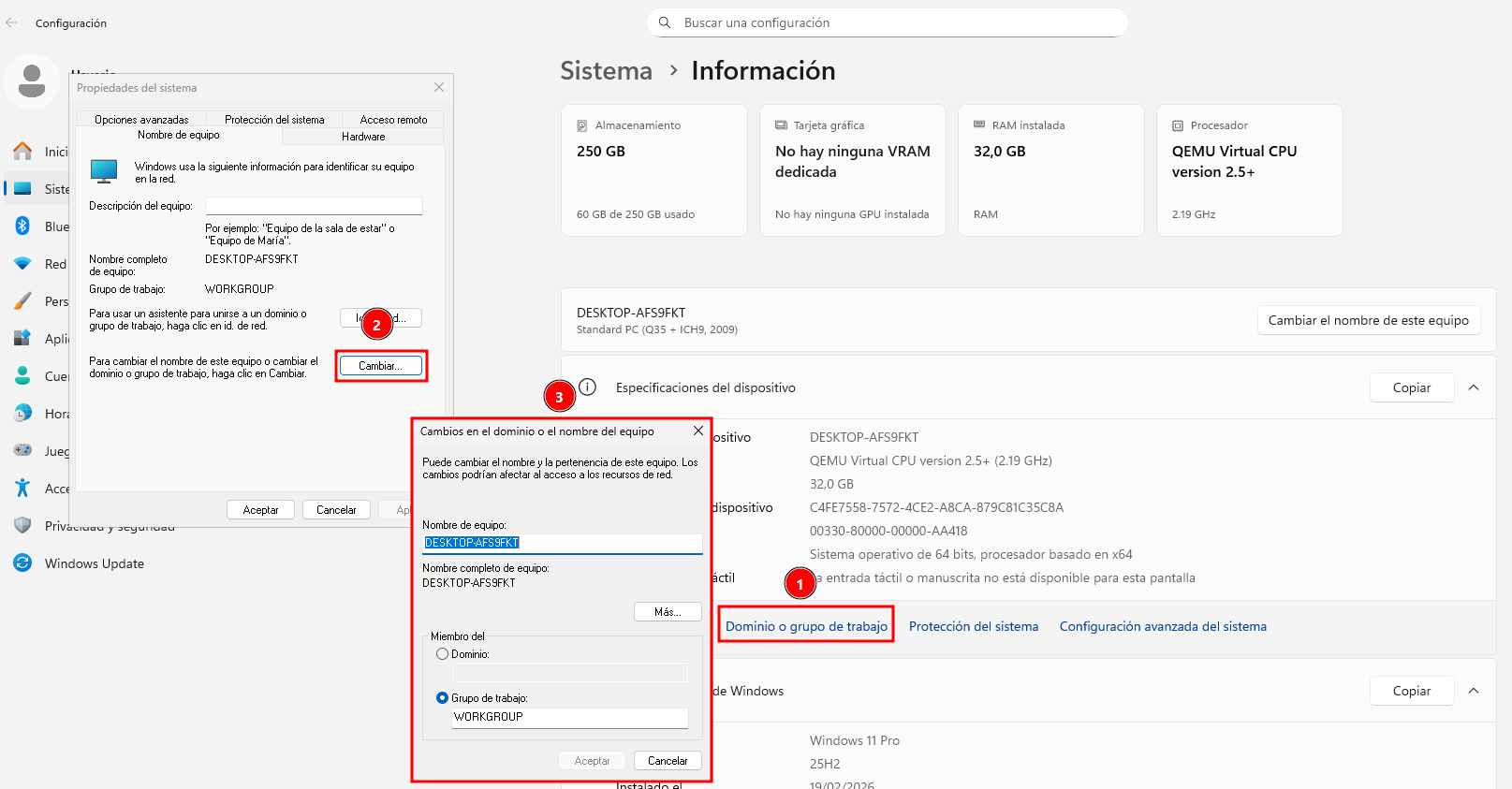
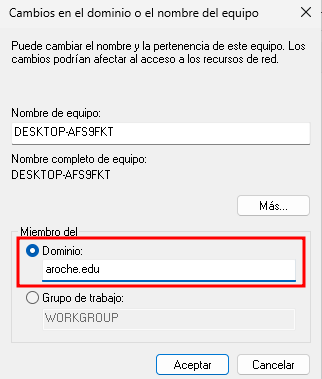
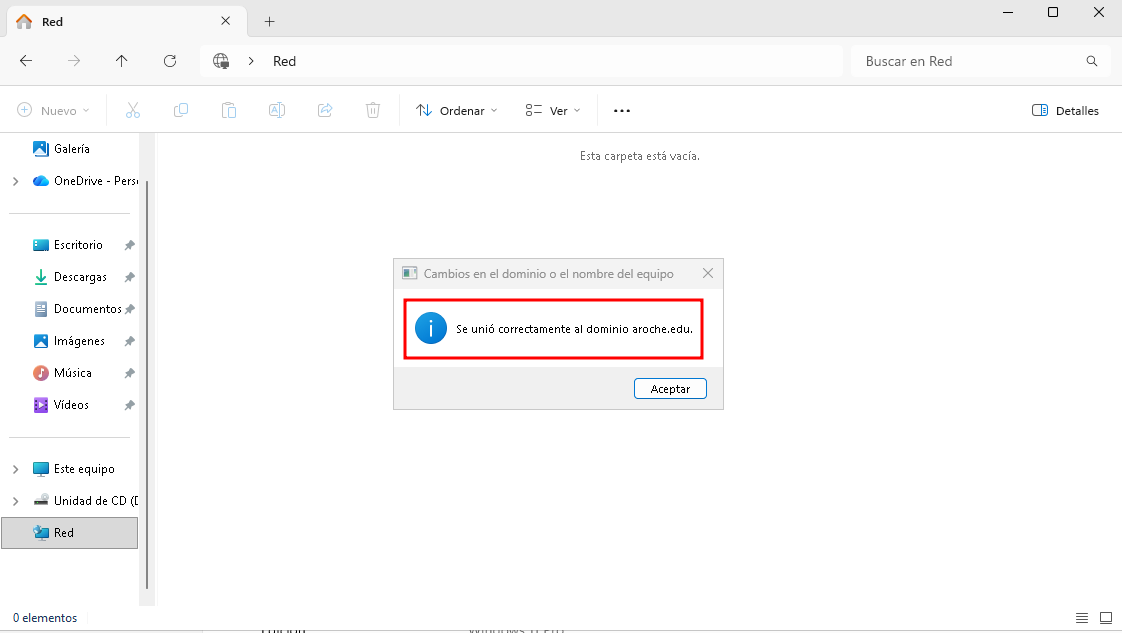
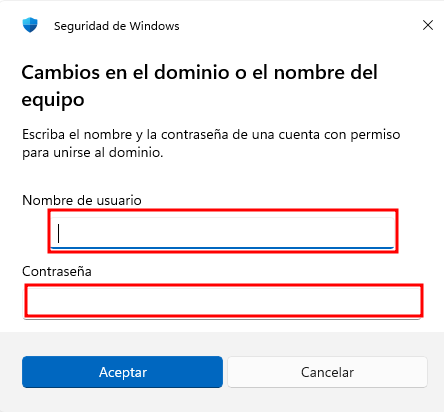
To test the behavior of this configuration, a Windows 11 machine has been joined to the domain, and the maximum lifetime for a service ticket has been temporarily dropped to 10 minutes for demonstration purposes.
Now, we provide the credentials.
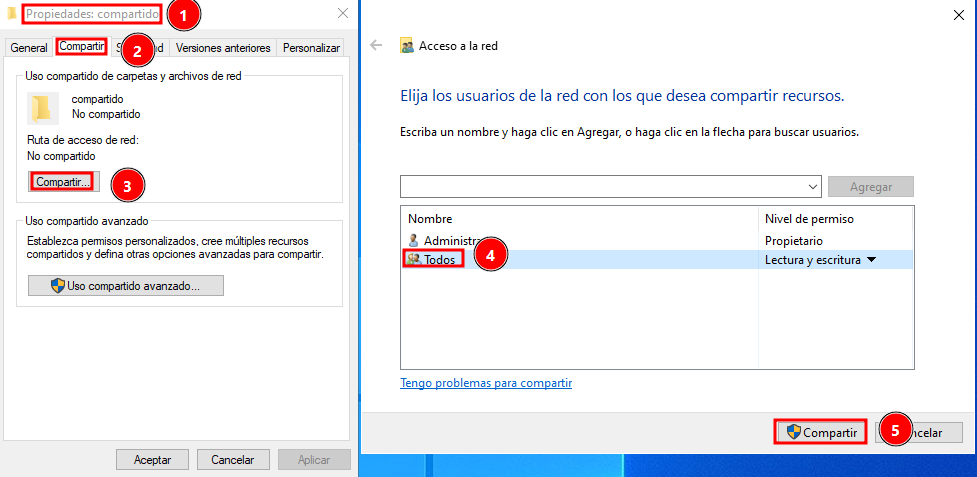
I will share a folder directory to conduct the connectivity test.
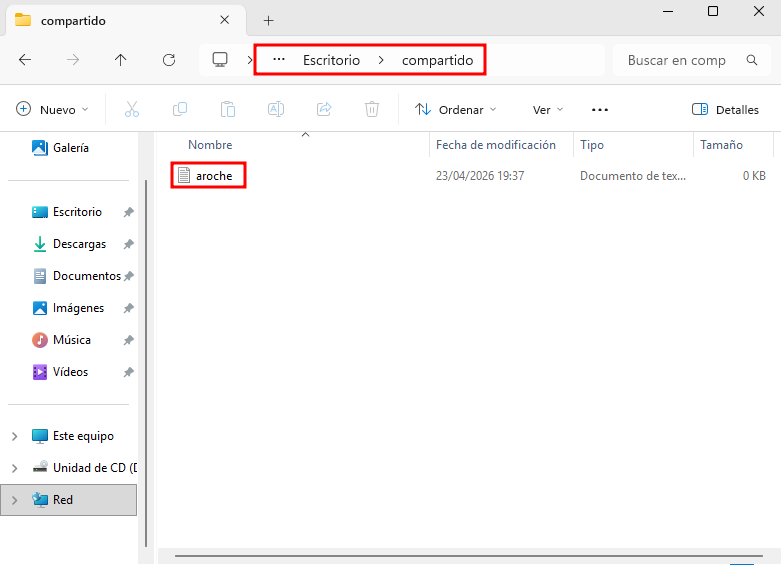
I verify that the share can be accessed successfully from the client host.
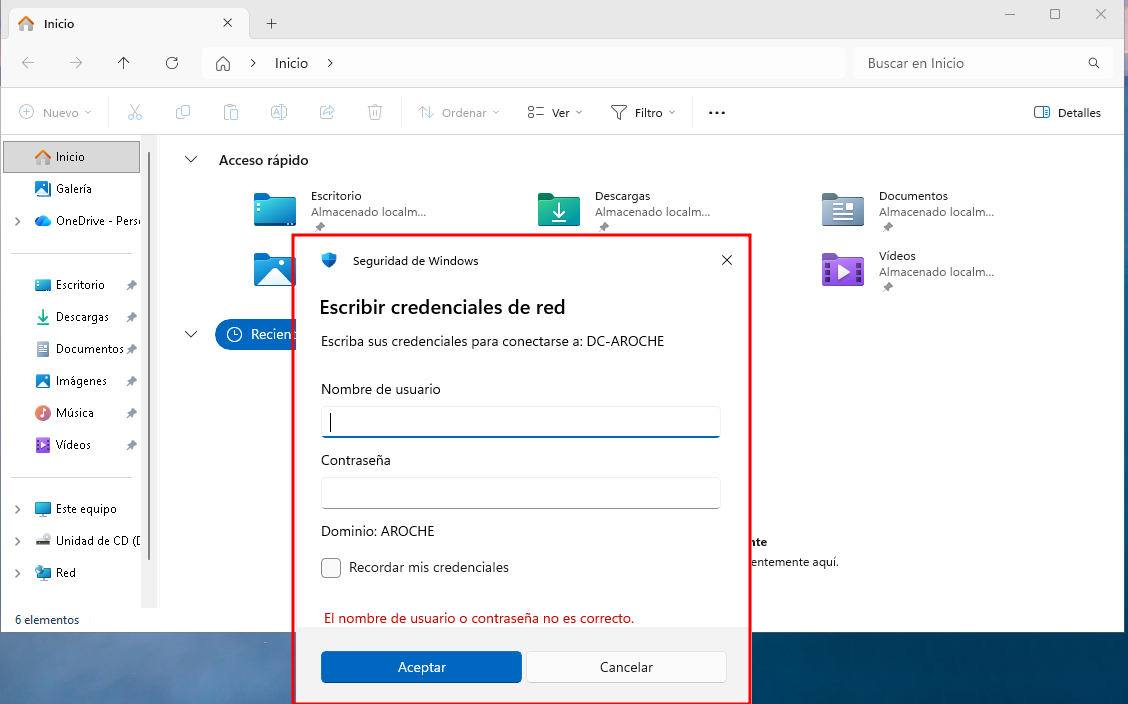
After waiting 10 minutes for the service ticket to expire, we can observe that the system prompts for credentials again.
It is important to note that Kerberos will normally renew the ticket automatically behind the scenes until the maximum user ticket renewal lifetime (which has a minimum threshold of 1 day) is reached. Once that absolute threshold expires, explicit credentials must be re-entered to access the service.
The installation step is not required on Windows Server since Kerberos is integrated and installed by default.
For Linux, the installation is handled by pulling the required packages using your preferred package manager.
sudo apt install krb5-kdc krb5-admin-server
Next, we configure the realms in the /etc/krb5.conf file. Below is an example configuration file:
[libdefaults]
 default_realm = ISANPER.LOCAL

[realms]
 ISANPER.LOCAL = {
  kdc = kerberos.isanper.local
  admin_server = kerberos.isanper.local
 }

[domain_realm]
 .isanper.local = ISANPER.LOCAL
 isanper.local = ISANPER.LOCAL
Now, we initialize the master database for the realm:
sudo kdb5_util create -r ISANPER.LOCAL -s
Next, we create a stash file to store the master database key:
sudo kdb5_util stash
We restart the service and check that it is running correctly.

Now, we create a new principal (user):
sudo kadmin.local
addprinc manuel
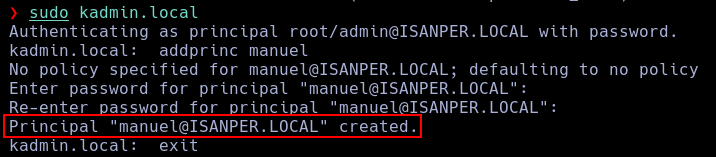
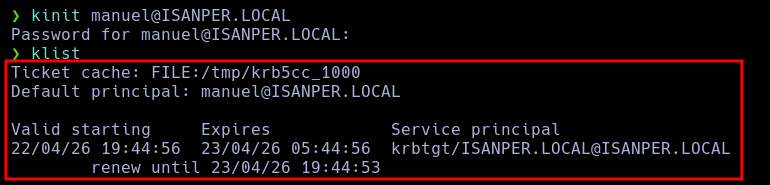
Finally, we verify that authentication works as expected:
kinit manuel@ISANPER.LOCAL
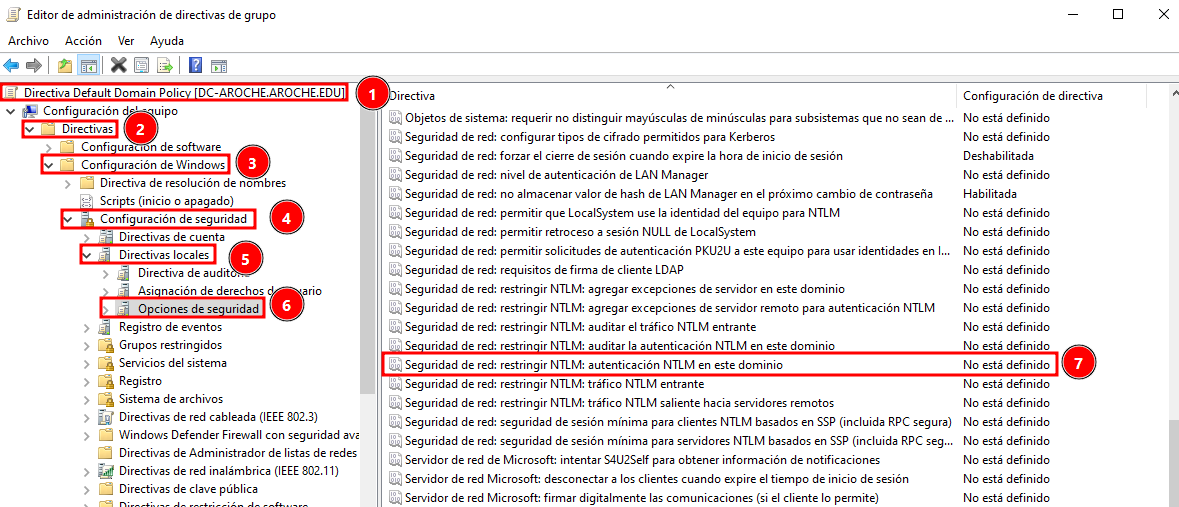
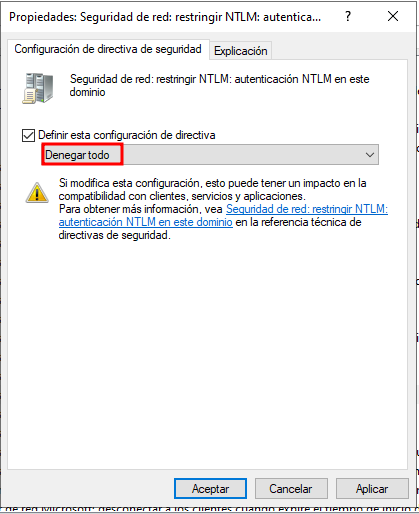
We must navigate to Security Options within the Local Policies to disable it.
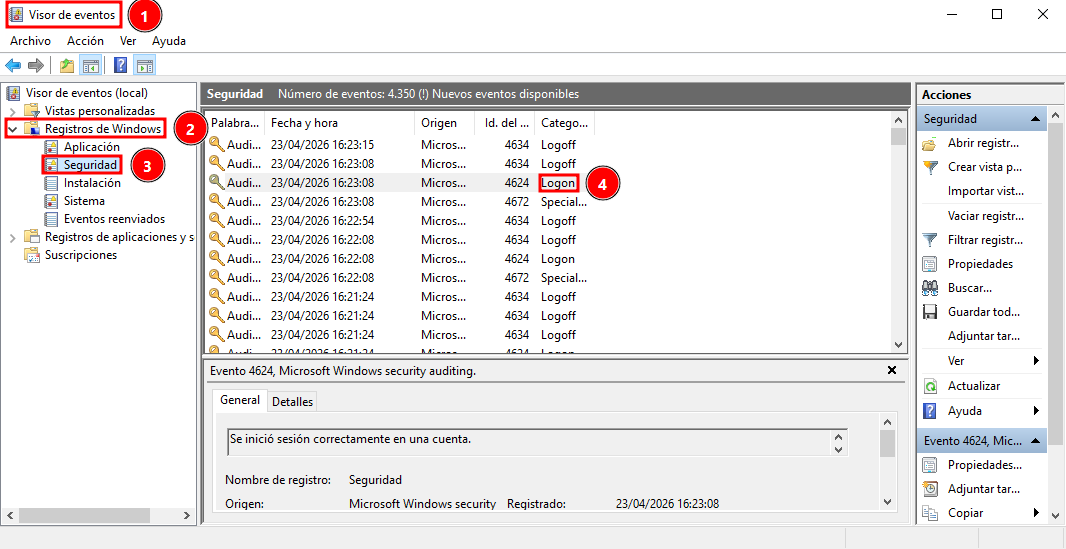
To ensure the server is actively using Kerberos for authentication, we search for a logon event within the Windows Event Viewer.
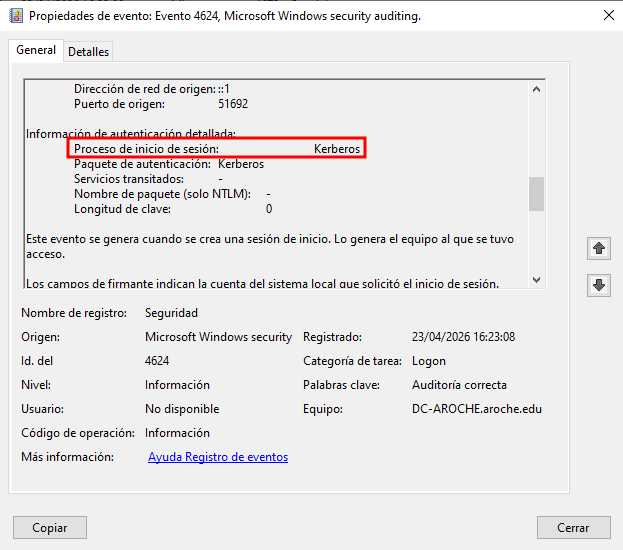
Once inside the event details, we locate the Authentication Package line, which indicates the explicit process used during the login phase.
Windows relies locally on the NTLM protocol framework. Password hashes are stored locally in the Security Account Manager (SAM) database. When a user enters their credentials, the plain text is converted into a hash, and this string is directly compared against the values stored within the local SAM database.
By default, Microsoft's Active Directory domain system uses Kerberos to handle authentication across the network, centralizing the entire validation process on the Domain Controller.
The inner workings of Kerberos have been broken down step-by-step in Section 1 of this practical assignment.
A Pass-the-Hash (PtH) attack is a post-exploitation technique used within domain environments that still allow or utilize the legacy NTLM protocol.
This vulnerability stems directly from how NTLM operates.
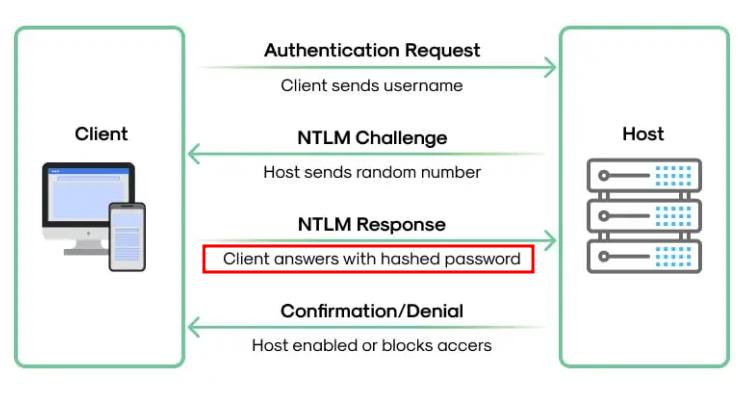
The client does not send the cleartext password to the host; instead, it sends the password hash directly. Consequently, if an attacker exfiltrates a valid hash, they can simply pass that hash to the NTLM authentication mechanism to log in, entirely bypassing the need to crack or reverse-engineer the cleartext password.
To exploit this, an attacker must have already fully compromised a local host to obtain SYSTEM privileges.